Every MCP tool I set up wanted the same thing: paste your API key into the env block of a config file and restart the client. That leaves a long-lived secret sitting in plaintext, readable by any agent on the machine, with no record of who used it or when. The alternatives were a shared environment variable or a vault with no idea which agent was asking.
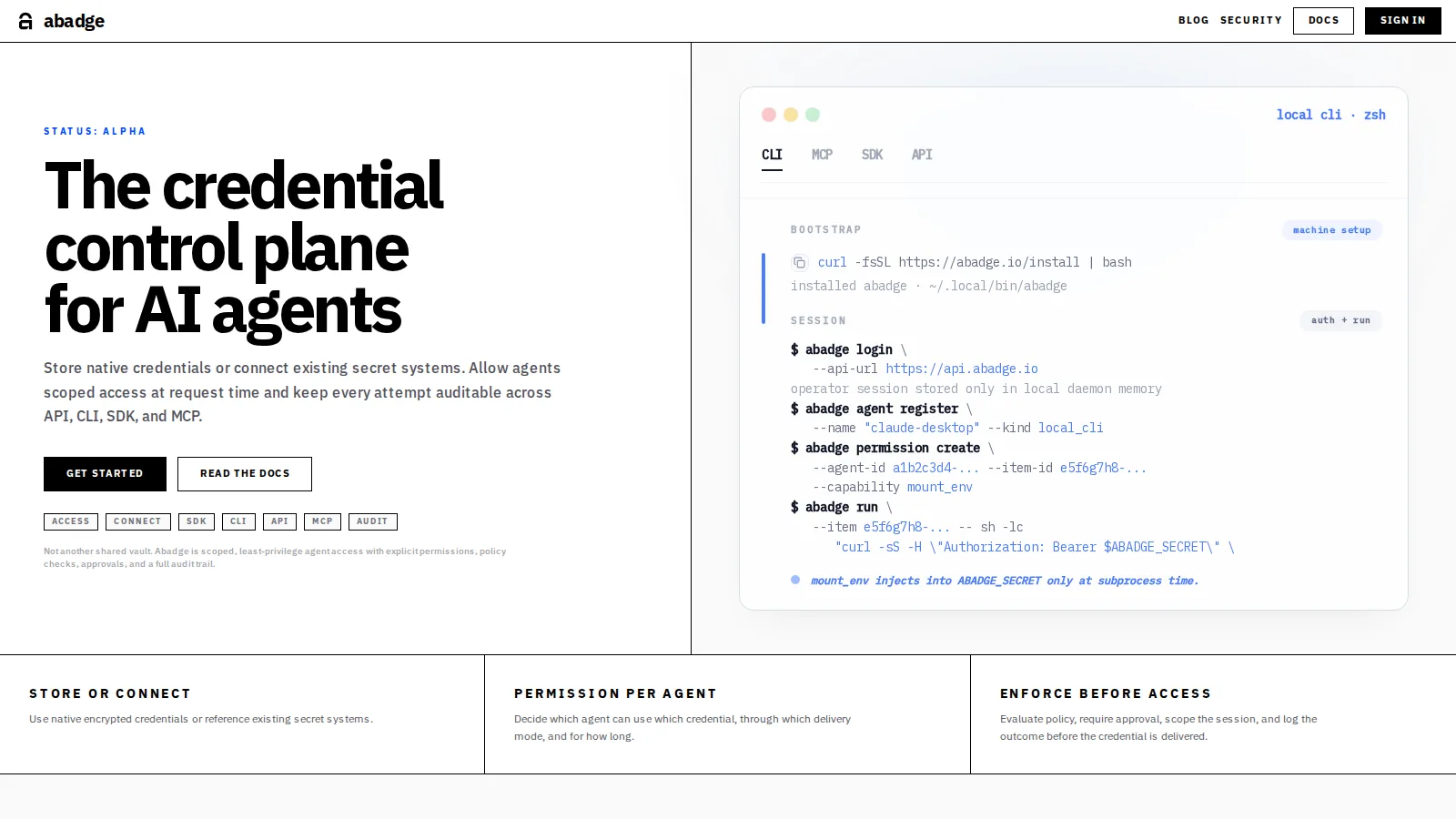
abadge fixes that with four steps: store the secret, grant an agent permission to it, deliver it at run time, and audit every access. The part I cared about most is delivery. An agent can use a secret without the value ever reaching the language model.
How it works
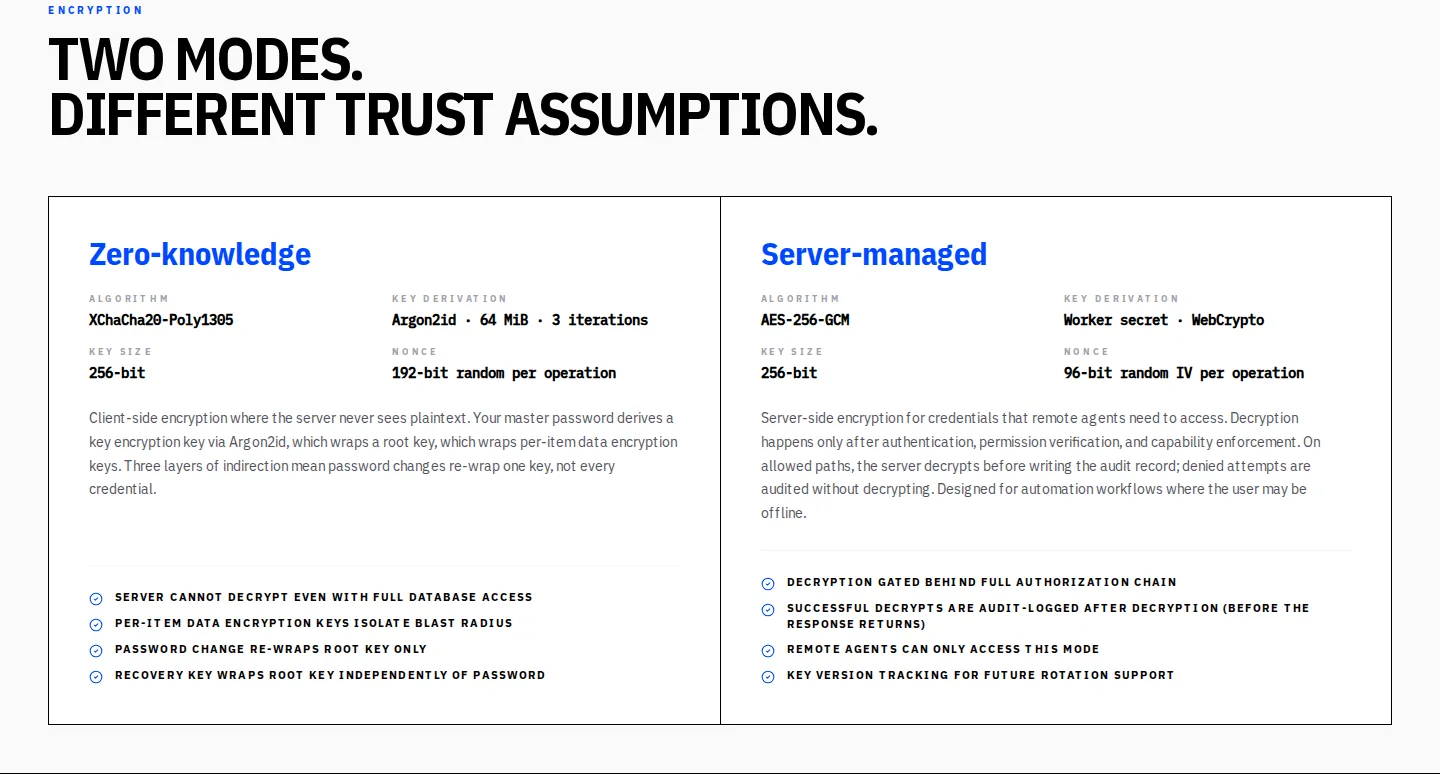
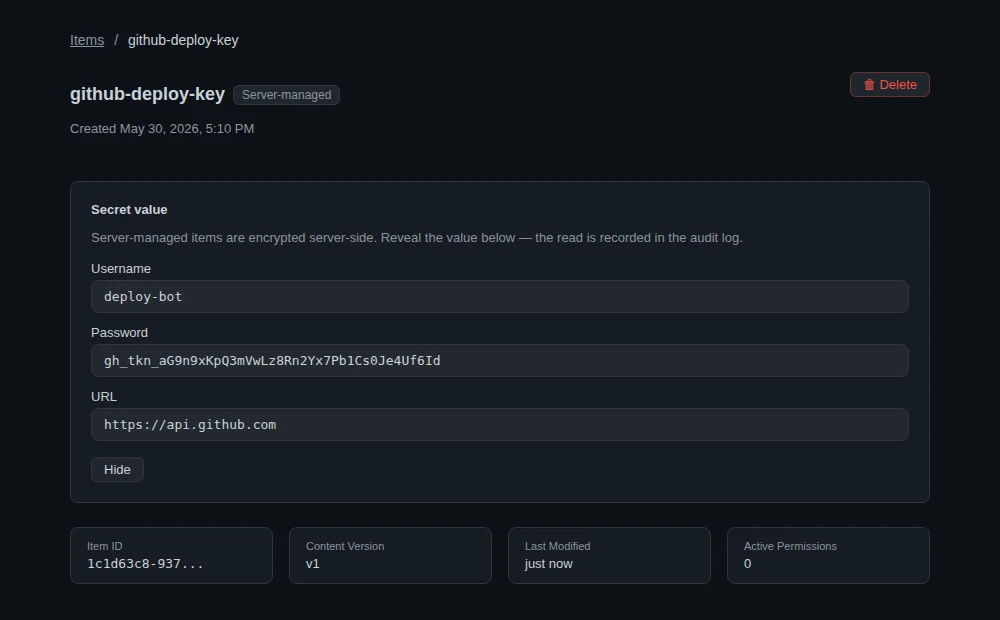
You sign up in the dashboard and store items in a profile: logins, API keys, tokens, certificates, SSH keys or plain JSON. Each profile uses one of two modes. In a zero-knowledge profile, items are encrypted in your browser or CLI with a key derived from your master password, and the server only ever stores ciphertext. In a server-managed profile, the server does the encryption so remote agents can use a secret while you're offline. It decrypts only after authentication and a permission check, and it writes each decryption to the audit log.
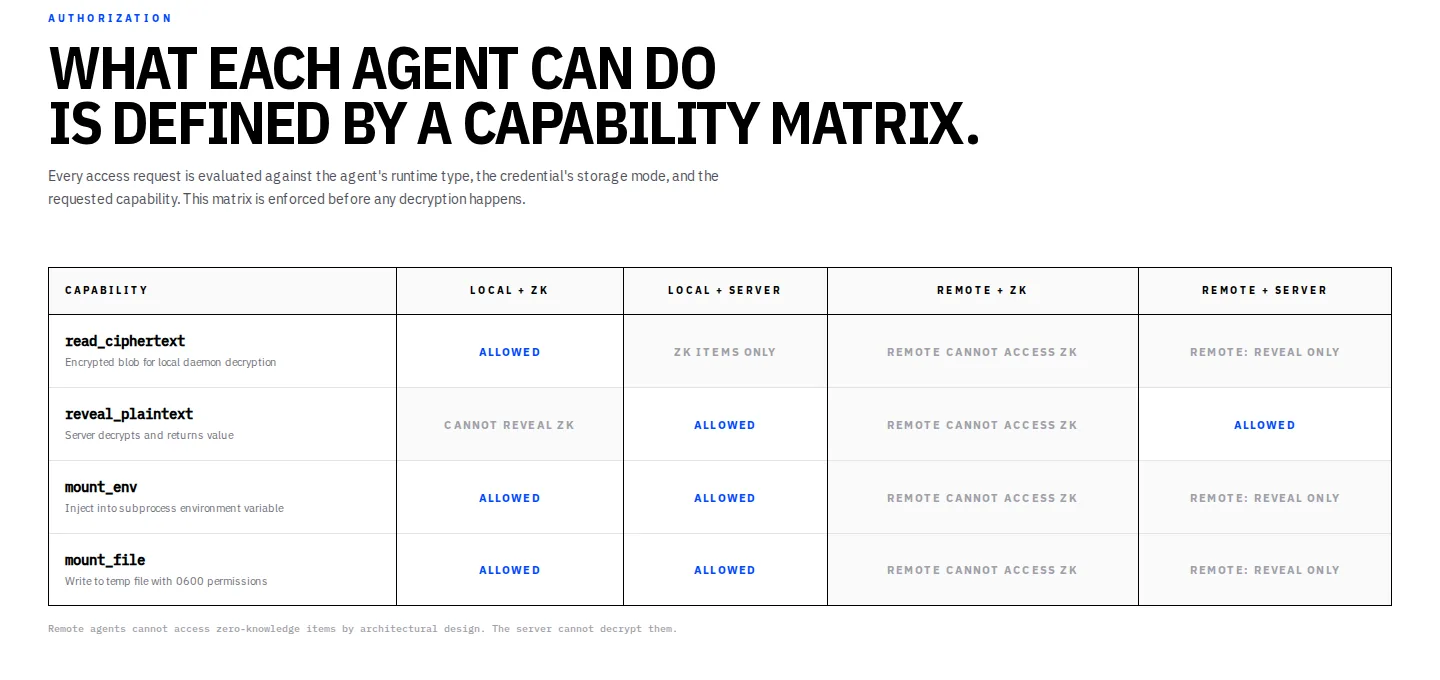
Next you register an agent, which gets its own Ed25519 key pair, and grant it specific capabilities on specific items. There are no wildcards. An agent proves who it is by signing a short-lived challenge, and it gets a session token that lasts 15 minutes.
Then the agent uses the secret. abadge run --item <id> -- ./deploy.sh injects it into a subprocess. The MCP server can run a command with the secret or mount it as a temporary file only the owner can read. Remote agents use the SDK or the REST API.
The hard parts
A key hierarchy the server can't open
In zero-knowledge mode, your password goes through Argon2id to produce a key. That key unlocks a root key for the profile, which unlocks a separate key for every item. Changing your password only re-wraps one key, and a leaked item key exposes one item. The server stores ciphertext at every level.
Server-managed items use AES-256-GCM with a separate data key per profile, and each ciphertext is bound to its organization, profile, item and key version. Copying a ciphertext somewhere else makes it fail to decrypt, and rotating keys stays cheap.
The model never sees the secret
The MCP tools return an exit code, a duration and a line count. They never return the command's output. Output is capped at 8 KB and thrown away. A test lists every MCP tool and fails if any of them has a field that could carry secret output back to the model.
Tenant isolation in more than one place
Each organization's data is filtered in the application, and Postgres row-level security backs that up. It fails closed: if a query arrives without an organization set, it returns nothing. The database role the app runs as has only the privileges it needs, and a CI test fails if any code touches tenant tables without going through the scoped database helper.
An audit log you can't quietly edit
A database trigger blocks every update and delete on the audit table. Each row is also copied to a second store, and a checker compares the two to catch rows that were removed.
Guarding the local daemon
The CLI talks to a local daemon over a Unix socket that only your user can open. The first time it connects, the CLI pins the daemon's key fingerprint, so a fake process sitting on the socket can't collect your master password.
Releases you can verify
The CLI and MCP server ship as single binaries for 6 platforms (macOS and Linux, Intel and ARM, glibc and musl). Each release has SHA-256 checksums, cosign signatures and an SBOM, and the install script checks the checksum before installing.
Where it stands
abadge launched on June 1, 2026 and is still early; the site labels it alpha. The API and dashboard run on Cloudflare Workers with Postgres. The codebase is a Bun and Turborepo monorepo of 15 packages and apps with about 1,344 test cases, including integration tests against a real Postgres and end-to-end tests that drive the compiled CLI and the MCP server. It also has 64 pages of documentation.